
Filter for Selfie
GeniusTools LabsBeauty
4.664.00 Reviews
- Version
- 2.1.1.1
- Installs
- 1.00M
- Age Rating
- Everyone
Screenshots
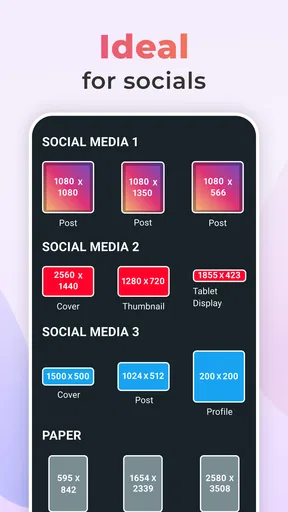
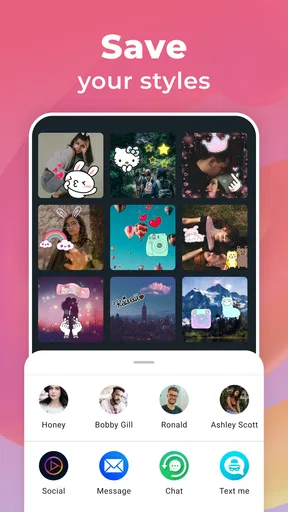
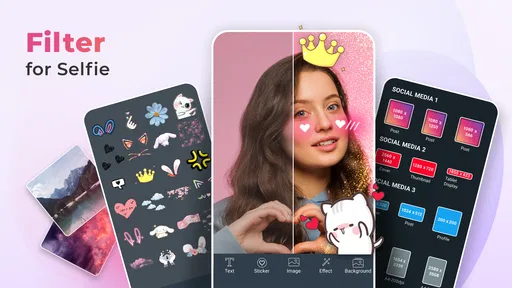
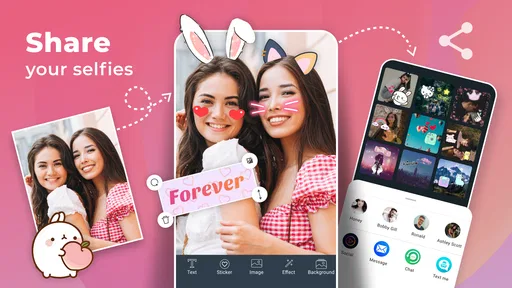
Our Review of Filter for Selfie
 Analysis by Appyee
I like a selfie app best when it helps me make a quick choice rather than turning a casual photo into a long editing project. Filter for Selfie is a free beauty app from GeniusTools Labs, aimed at adding a more playful or polished look to pictures. Its average rating is 4.7 from around 9,600 ratings, and it has over 1 million installs. That gives me a useful sense of its reach, but the real question is whether its style and cost make sense for the way you take photos.
What free access does—and does not—settle
You can start using the app without paying upfront, which makes it easy to try for an occasional selfie rather than committing to a subscription-style habit. The app is rated for Everyone and runs on Android 5.0 or later. Its current version is 2.1.1.1, and it was released on June 4, 2020. Those details make it a practical option for a range of Android devices, though the experience can still depend on the phone and the way you prefer to edit.
There are in-app purchases, with items priced from $0.99 to $99.99. That is a broad range, so I would treat the free starting point and any paid extras as separate decisions: try the basic experience first, then consider a purchase only if a particular paid item solves a real need for you. I would not assume that paying is necessary to enjoy the app, or that the highest-priced item represents the best value. Free to install is a low-risk starting point, not a promise that every option is free.
How I would use its selfie-first approach
The appeal here is its focus. Rather than opening a full photo editor with a long list of general-purpose controls, I would reach for a selfie filter app when I already know the picture needs a quick mood change or a little playful character. That narrower purpose can save time: choose a look, check whether it suits the lighting and expression, and stop when the photo still looks like you.
That last part matters more than it sounds. A filter that looks good in a preview can be too strong for a profile photo or a picture you want to keep for years. I recommend comparing the edited image with the original before sharing, especially if a filter changes skin color or contrast noticeably. A light touch tends to work better for everyday portraits; bolder effects make more sense when the point is humor or a deliberately stylized post.
A realistic moment when it fits
Imagine you have a few minutes before meeting a friend and want to send a cheerful picture in a chat. You do not need a full retouching session or a carefully planned camera setup; you want a quick way to make the image feel brighter or more playful. This is the kind of small, low-stakes job where a selfie-focused app can be more convenient than opening a desktop-style editor. I would take the picture, try a restrained look first, and keep a second version untouched so I can choose later.
For a more important use, such as a professional profile picture, I would be more cautious. Natural light, a clean background, and a well-framed original often matter more than decorative effects. A selfie filter can help with presentation, but it cannot fix a distracting composition or make an unsuitable photo feel authentic. If the image needs precise retouching, consistent color across several pictures, or detailed control over individual adjustments, a broader photo editor is likely the better tool.
Where it sits among the alternatives
Compared with a phone’s built-in camera filters, a dedicated selfie app is appealing when you want the editing experience centered on faces and playful presentation rather than general snapshots. The trade-off is that the default camera is usually the simplest choice for taking a picture quickly, while a full-featured editor is more suitable for careful, repeatable adjustments. I see this app as a middle ground for people who want more personality than a basic camera effect but do not want to learn a complex editing workflow.
It is also worth separating convenience from image quality. A filter can change the appearance of a photo, but it does not replace a sharp camera, good light, or a steady hand. If you are choosing between adjusting your position near a window and adding a strong effect afterward, I would fix the light first. That usually gives you a more flattering result and leaves the filter with less work to do.
Small workflow choices that improve the result
One useful habit is to decide what the photo is for before choosing a look. A silly image for friends can handle a more obvious effect; a portrait for a public profile usually benefits from restraint. I also suggest checking the face against the background after applying an effect. When a filter changes the overall color, a wall, clothing, or nearby objects can shift too, and that may make the final picture feel less natural than the face alone suggests.
Another practical trade-off is consistency. If you are making several pictures for the same profile or post, changing the look on every image can make them feel disconnected. Pick one general direction and compare the results together before sharing. Conversely, if you are only making one spontaneous selfie, spending time matching a whole set is unnecessary. The app is most useful when the amount of editing matches the importance of the picture.
Who is likely to get value from it
I can see this being a good fit for someone who takes casual selfies, enjoys trying different looks, and wants an uncomplicated place to experiment. It may also suit people who want a playful edit for a message or social post without turning the task into a serious photography session. The free entry point makes it reasonable to test whether its style suits you before spending anything.
I would skip it if your priority is precise image correction, professional portrait work, or a consistent workflow across a large batch of photos. It is also not the right choice if you prefer completely natural pictures and rarely use filters; your phone’s regular camera may already do everything you need. And if you are uncomfortable with the idea of in-app purchases, take time to distinguish free options from paid ones before tapping through any purchase flow.
Unpacking the Features
So, first things first, what does Filter for Selfie bring to the table? Well, quite a lot actually! The app is packed with a plethora of features designed to make your selfies stand out. From basic touch-ups to advanced editing tools, it’s like having a mini Photoshop right in your pocket.
Easy-to-Use Interface
One of the standout aspects of this app is its user-friendly interface. You don’t need to be a tech wizard to navigate through its features. Everything is laid out intuitively, allowing you to focus more on the creative process and less on figuring out how things work.
Variety of Filters
The heart and soul of the app are its filters. Whether you’re going for a vintage look, a vibrant pop of color, or something more understated, there’s a filter to match your mood. It's like having a personal stylist for your photos.
Advanced Editing Tools
For those who like to get a bit more hands-on, the app offers advanced editing tools. You can adjust brightness, contrast, saturation, and more. Plus, there’s a nifty feature that allows you to retouch skin tones, ensuring you always look fresh and flawless.
Real-Time Editing
Another cool feature is real-time editing. You can apply filters and make adjustments before you even snap the pic, giving you a preview of the final result. This can be a real game-changer when you’re trying to capture the perfect shot.
The Fun Factor
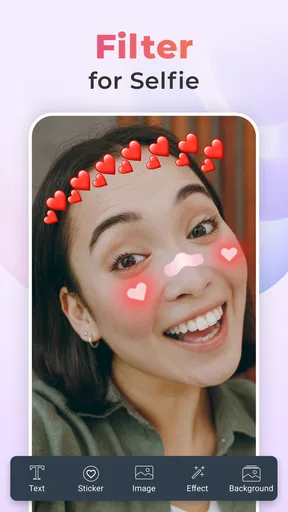
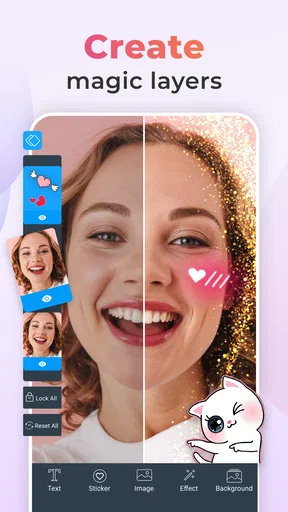
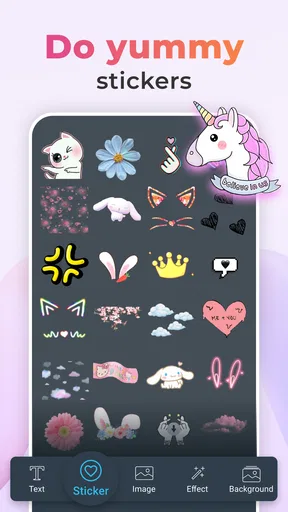
While the practical features are great, let’s not forget the fun factor. There are whimsical stickers, frames, and even AR elements that you can add to your selfies. It’s a playful way to express yourself and add a bit of personality to your photos.
Sharing Made Simple
Once you’ve perfected your selfie, sharing it with the world is a breeze. The app integrates seamlessly with social media platforms like Instagram, Facebook, and Twitter. A couple of taps, and your masterpiece is out there for all to see.
Why You’ll Love It
So, why should you give it a shot? For starters, it’s a convenient solution for anyone looking to enhance their photos without fuss. It’s also a great way to explore your creative side and experiment with different styles and looks.
Moreover, the app’s developers seem to genuinely care about user feedback, regularly updating the app to include new features and improvements. It’s refreshing to see an app that evolves with its users.
My buy-or-skip verdict
For me, the best reason to try Filter for Selfie is that it offers a simple way to explore a selfie-focused editing style without an upfront price. Its combination of filters, touch-ups, stickers, frames, and AR elements gives the experience a more playful range than a single camera preset. The practical limit is that a dedicated selfie tool will not be as versatile as a general photo editor when you need careful control or a natural, professional finish.
I would install it if I wanted quick experiments for everyday pictures, then decide whether any paid item is worth its own cost. I would skip paying until I knew exactly which option I wanted and how often I would use it. That makes the choice straightforward: try it for casual creativity, keep edits subtle when realism matters, and use a broader editor or the regular camera when accuracy and fine control are more important.
Verdict
Strengths of Filter for Selfie
- Extensive filter library enhances selfies.
- User-friendly interface for easy navigation.
- Real-time editing with instant preview.
- High-quality export options available.
- Frequent updates with new features.
Limitations of Filter for Selfie
- Contains in-app purchases for premium features.
- Some filters require a strong internet connection.
- Occasional ads can disrupt editing flow.
- Limited free filters without subscription.
- High battery consumption during use.
Other Releases by GeniusTools Labs
View All
Trace Drawing: How To Draw
Art & Design4.6

Widget 2026: Aesthetic Widgets
Personalization4.6

GPS Maps Voice Navigation App
Maps & Navigation4.8

Sweet Editor Camera Lite
Beauty4.6
Similar Picks in This Category
View All
Beauty Makeup Editor & Camera
Photo & Video Editors - Instant Solution4.7

Perfect365: Face Makeup Editor
Perfect365, Inc.3.5

Mirror Plus - HD Mirror app
Digitalchemy, LLC4.8

Cute Lock Screen & Wallpapers
Prometheus Interactive LLC4.6

HD Camera for Android
One Music Player4.5

Phone Mirror app - True Mirror
Cards4.6
Frequently Asked Questions
What features does the Filter for Selfie app offer?
The Filter for Selfie app offers a variety of features designed to enhance your photos. Users can choose from numerous filters, apply beauty effects, and adjust settings like brightness and contrast. The app also includes tools for editing, such as cropping and rotating, to help create the perfect selfie.
Is the Filter for Selfie app free to use?
The app is free to download and offers a range of basic features at no cost. However, there are in-app purchases available, which provide access to premium filters and advanced editing tools. Users can choose to subscribe to a monthly or annual plan for an ad-free experience and additional features.
How does the app ensure user privacy?
User privacy is a priority for the Filter for Selfie app. It requires minimal permissions, primarily for accessing the camera and gallery. The app states that it does not share or store personal data without consent, aligning with privacy regulations. Users should review the privacy policy for detailed information.
Can I use the app offline?
Yes, the Filter for Selfie app can be used offline for applying basic filters and editing photos already stored on your device. However, some features, like downloading new filters or saving high-resolution images, might require an internet connection. It’s recommended to connect for the best experience.
Is the app compatible with all devices?
The Filter for Selfie app is compatible with most Android and iOS devices. However, older models may experience reduced functionality or performance issues due to hardware limitations. It's advisable to check the app’s requirements on the download page to ensure compatibility with your specific device.
